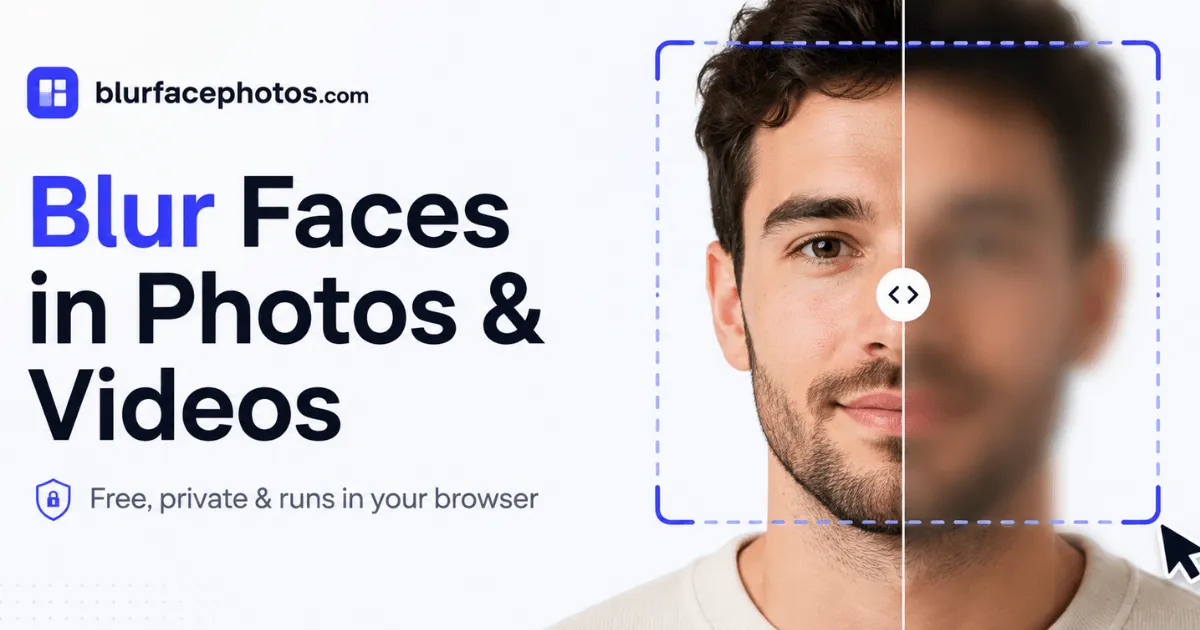
BlurFacePhotos is a privacy-first web tool that detects and redacts faces in photos and video entirely in-browser, with no uploads, no sign-up, and support for blur, pixelation, black bars, emoji, and batch processing.
Submit your website to get discovered by thousands of potential customers and boost your SEO.
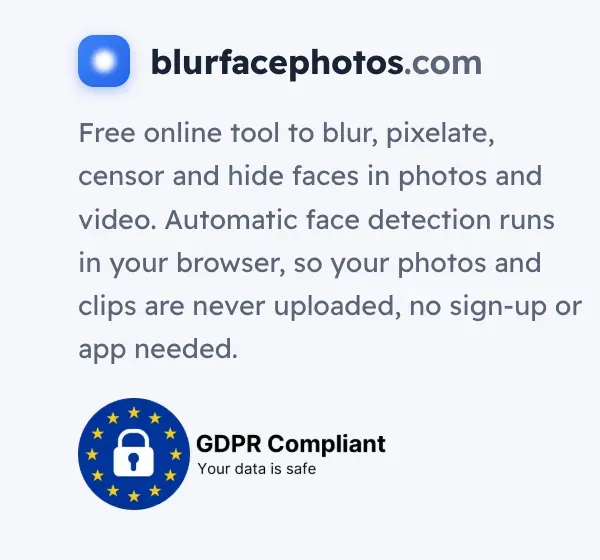
Get ListedBlurFacePhotos is a free, browser-based tool designed to anonymize faces in images and video while keeping all processing local. Unlike most online blur tools that upload sensitive photos to remote servers, this platform runs face detection and redaction entirely on the user's device. The result is a practical privacy solution for journalists, content creators, businesses, and everyday users who need to share photos without exposing identities. With support for multiple effects—blur, pixelate, black bars, emoji, and more—and automatic face tracking in video, it positions itself as a versatile alternative to desktop editing software like Photoshop or CapCut, minus the learning curve and privacy risks.
BlurFacePhotos packs a surprisingly comprehensive feature set into a simple web interface. The core functionality revolves around automatic face detection, which identifies faces in photos and video frames and applies the chosen redaction effect. Here are the standout capabilities:
These features are accessible through a clean, card-based interface that separates Image, Camera, and Video modes. The video mode is marked as Premium, while photo blurring remains free forever.
The user experience is streamlined for speed and simplicity. On the landing page, the workflow is presented in three steps: add a photo, pick the area and effect, and download. The tool accepts JPG, PNG, WebP, and BMP images, and common video formats like MP4 and WebM. Once an image is dropped into the upload zone, it is processed locally, and face detection runs automatically.
The editor interface allows users to toggle between different effects (blur, pixelate, black bar, etc.) and adjust which facial features to target. For photos with multiple people, up to five faces are detected simultaneously, and each can be toggled on or off for redaction. The export button downloads the result as a PNG file instantly, with no waiting for server-side processing.
For video, the process is similar: drop an MP4 or MOV file, and the tool tracks faces across every frame. The output is exported as WebM, a format that preserves the redactions. The entire operation remains local, so even large clips are processed without network latency or data exposure. A before-and-after slider on the homepage demonstrates the effectiveness of the redaction, giving users confidence before they even open the editor.
One notable nuance is that the free version is ad-supported, but the ads are unobtrusive and do not interfere with the editing process. Premium upgrades remove ads and unlock additional features like unlimited batch, full-HD/4K video export, and a commercial-use license.
BlurFacePhotos serves a broad range of practical scenarios where identity protection is paramount:
For more specific workflows, the site offers in-depth guides, such as blurring faces in video, which walk users through the process step-by-step. These resources also cover use-case-specific instructions for Photoshop, CapCut, and other popular tools, though BlurFacePhotos is positioned as a faster, more private alternative.
BlurFacePhotos employs a freemium model with a generous free tier. The Photo mode is free forever, ad-supported, and includes unlimited photo blurring with up to five faces per image, no watermark, and batch processing of up to five images. This is a compelling value proposition for individual users and small teams.
The Premium plan costs $4.99 per month when billed annually or $8.99 month-to-month. It removes all ads, unlocks video face tracking and unlimited exports, raises the batch limit, enables full-HD and 4K video output, and includes a commercial-use license. For video editors and businesses that rely on anonymizing footage, this is a modest price compared to desktop software subscriptions.
An API & Business tier is listed as “coming soon” with a planned price of $49, offering REST API access, bulk processing, and priority support. This targets enterprise users who need to integrate face redaction into their own applications. The pricing page details these tiers and emphasizes that free users are not subjected to sneaky limits, and nothing is uploaded to servers.
Overall, the pricing is straightforward and fair. The free tier alone is often sufficient for casual users, while the premium tier is positioned as a professional tool. The lack of a free trial for premium is a minor drawback, but given the low cost and the availability of core features for free, it is not a significant barrier.
BlurFacePhotos delivers on its promise of private, in-browser face anonymization. It stands out in a crowded market of online blur tools by eliminating server uploads entirely, which addresses the most significant privacy concern associated with such services. The feature set is robust, from multi-style redaction to automatic video tracking, and the user interface is intuitive enough for non-technical users.
The main limitations are the five-face detection cap, which could be restrictive for crowd shots, and the restriction of video exports to WebM, which may require conversion for some platforms. The premium paywall for video processing is reasonable, but free users might find the limitations frustrating if they need to anonymize footage regularly.
For journalists, privacy advocates, and businesses handling sensitive imagery, BlurFacePhotos is a trustworthy tool worth adding to their toolkit. It is not a full replacement for professional editing suites, but as a quick, secure, and effective face-blurring utility, it excels. The developers also maintain comprehensive API documentation for those interested in programmatic access, signaling a forward-looking roadmap. Overall, BlurFacePhotos is a solid choice for anyone who prioritizes privacy without sacrificing convenience.