An all-in-one social media management platform for creators, agencies, and teams to schedule posts, track analytics, and manage content across 10+ platforms.
Reviews
•
2026/04/10
Share:
PostPlanify Review: The All-in-One Social Media Management Platform
In today's fast-paced digital landscape, managing multiple social media accounts efficiently is crucial for creators, agencies, and businesses alike. PostPlanify emerges as a comprehensive solution designed to streamline social media management through an intuitive dashboard that combines scheduling, analytics, collaboration, and AI-powered tools. This review dives deep into PostPlanify's features, pricing, user experience, and overall value proposition to help you determine if it's the right tool for your social media needs.
Introduction
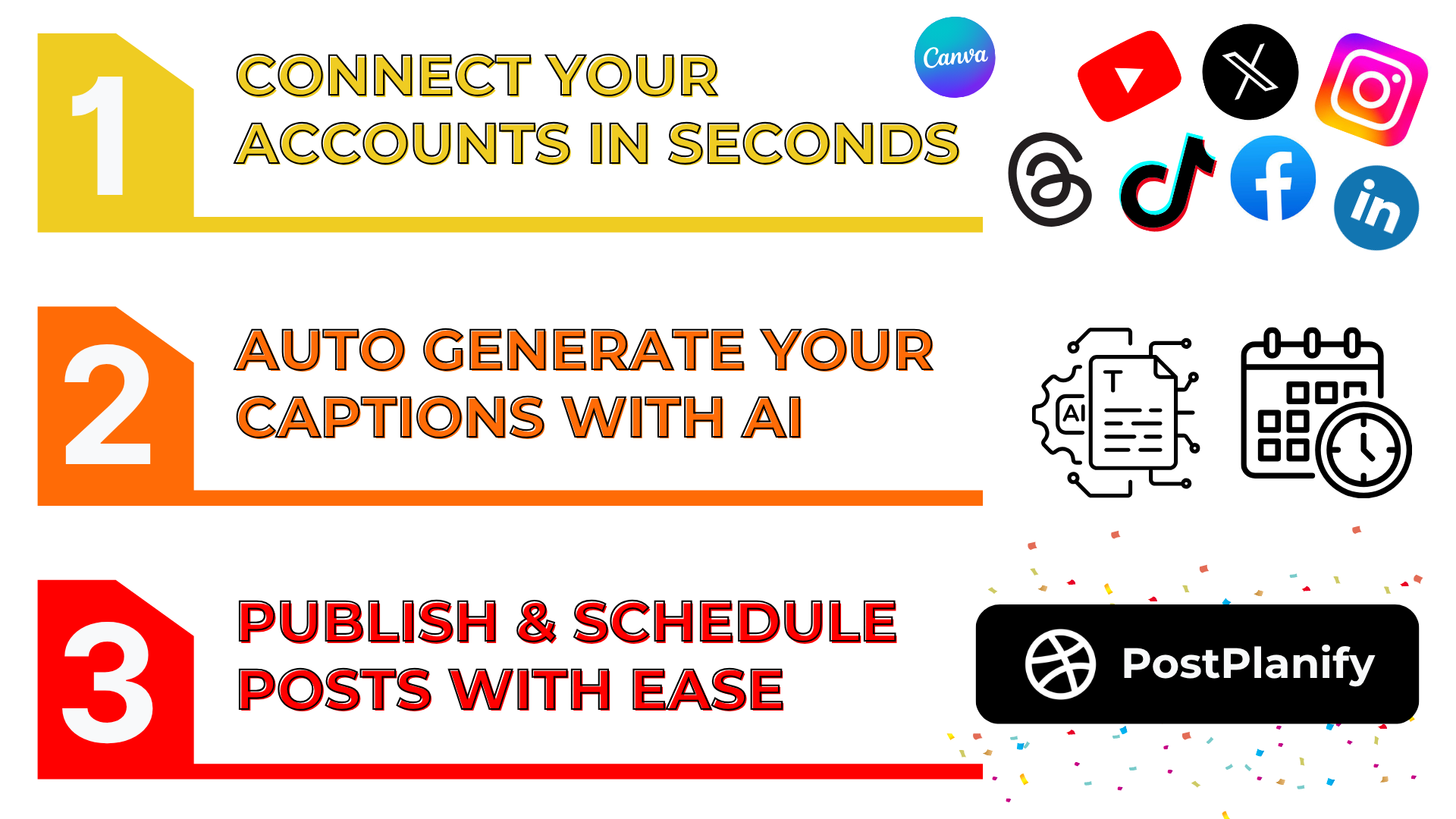
PostPlanify positions itself as a modern social media scheduler that simplifies content management across all major platforms. With support for 10+ social networks including Instagram, X (Twitter), Facebook, LinkedIn, YouTube, TikTok, Threads, Pinterest, Bluesky, and Google Business, it aims to be a one-stop solution for individuals and teams. The platform emphasizes simplicity, speed, and comprehensive functionality, offering features like AI-generated captions, Canva integration, post previews, and team collaboration tools. Trusted by over 1,680 users across 30+ countries, PostPlanify targets creators, agencies, and businesses looking to optimize their social media workflows without the complexity of enterprise tools.
Key Features
PostPlanify boasts an impressive array of features designed to cover every aspect of social media management:
Unified Content Calendar: A drag-and-drop calendar allows users to plan, edit, and reschedule posts across all connected platforms from a single interface. This visual calendar provides a clear overview of your content strategy and makes adjustments effortless.
Advanced Analytics: Track performance metrics, engagement rates, and growth across all platforms. The platform offers both basic and advanced analytics depending on your plan, helping you understand what content resonates with your audience.
Social Inbox: Consolidate all comments and messages from different platforms into one inbox. You can reply, label, assign to team members, and even use AI assistance to respond faster, ensuring no engagement opportunity is missed.
Team Collaboration: Invite unlimited team members with role-based access, approval workflows, and shared calendars. Unlike many competitors, PostPlanify doesn't charge per seat, making it cost-effective for growing teams.
AI Assistant: Generate captions, create images, and improve content quality with built-in AI tools. The platform offers varying AI image credits depending on your plan, from 100 to 800 images per month.
Media Library: Store, organize, and reuse brand assets in a shared library. Import directly from Canva, Google Drive, or Dropbox without downloading files first, saving valuable time.
Link in Bio: Create a customizable landing page with all your important links, styled to match your brand identity.
API Access: All plans include API access for custom integrations and automation, allowing developers to build custom workflows and connect PostPlanify with other tools in their stack.
Multi-Platform Support: Connect and publish to 10 major social platforms using official platform APIs for reliable and secure posting.
How It Works
Getting started with PostPlanify is straightforward. After signing up for a 7-day free trial (no credit card required), users can connect their social media accounts through official API integrations. The dashboard presents a clean, modern interface with the content calendar as the central hub. From here, you can:
Create Posts: Use the composer to draft posts with text, images, videos, and links. The AI assistant can help generate captions or suggest improvements.
Schedule Content: Drag and drop posts on the calendar to schedule them for optimal times. The platform offers bulk scheduling and "best time to post" recommendations for maximum engagement.
Manage Media: Upload assets to the media library or import directly from Canva, Google Drive, or Dropbox.
Collaborate: Invite team members, set up approval workflows, and assign tasks using the collaboration features.
Analyze Performance: Check the analytics dashboard to track post performance, audience growth, and engagement metrics.
Engage with Audience: Use the social inbox to monitor and respond to comments across all platforms from one place.
The workflow is designed to be intuitive, with clear navigation and helpful tooltips. The platform also offers a comprehensive features page that details each capability, making it easy to explore advanced functionalities.
Use Cases
PostPlanify serves diverse user groups with specific needs:
Agencies & Marketing Teams: Manage multiple client accounts with separate workspaces, white-label reporting, and team collaboration features. The unlimited workspaces and client management tools make it ideal for agencies handling numerous clients simultaneously.
Content Creators & Influencers: Schedule content across multiple platforms, track performance analytics, and use AI tools to create engaging content faster. The link-in-bio feature is particularly useful for creators directing followers to various resources.
Small Businesses: Maintain consistent social media presence without dedicating excessive time. The straightforward interface and comprehensive features allow small business owners to manage their social media efficiently.
Enterprise Teams: Larger organizations benefit from the unlimited users (on Enterprise plan), custom onboarding, private WhatsApp support, and advanced collaboration features without per-seat pricing.
Solo Entrepreneurs & Freelancers: The Starter plan provides essential features at an affordable price point, making professional social media management accessible to individuals.
The platform's flexibility is evident in testimonials from users managing everything from 5 to 95 posts per day, demonstrating its scalability for different content volumes.
Pricing & Value
PostPlanify offers transparent, tiered pricing with a 7-day free trial and 14-day money-back guarantee:
Starter ($24/month billed yearly): 5 social accounts, 200 posts/month, 1 user, basic analytics, 100 AI images/month. Ideal for individuals and freelancers.
Growth ($39/month billed yearly): 10 social accounts, unlimited posts, 1 user, advanced analytics, social inbox, 200 AI images/month. The most popular plan for growing creators and brands.
Premium ($79/month billed yearly): 25 social accounts, unlimited posts, 5 users, white-label reports, approval workflows, 400 AI images/month. Perfect for small teams and power users.
Enterprise (Custom pricing): Unlimited social accounts and users, 1:1 onboarding, private WhatsApp support, 800 AI images/month. Designed for agencies and large organizations.
All plans include unlimited workspaces, AI assistant, custom integrations, post queue, hashtag manager, link in bio, and API access. The pricing page clearly compares features across tiers, helping users choose the right plan. Compared to competitors like Hootsuite or Buffer, PostPlanify offers competitive pricing with more inclusive features, particularly regarding team members and API access.
Final Verdict
PostPlanify delivers an impressive social media management solution that balances comprehensive features with user-friendly design. Its strengths lie in the unlimited team collaboration, robust API access across all plans, and genuine founder-led support that prioritizes user feedback. The platform excels at simplifying complex social media workflows while maintaining flexibility for different user types.
Recommendation: PostPlanify is highly recommended for agencies, growing teams, and serious content creators who need a full-featured social media management tool without enterprise complexity or pricing. The 7-day free trial allows risk-free testing, and the responsive support team adds significant value. While larger enterprises might need to evaluate specific integration needs, most users will find PostPlanify offers exceptional value for money. For those interested in exploring the platform's technical capabilities, the API documentation provides detailed information for developers.
Overall, PostPlanify stands out as a thoughtful, well-executed platform that addresses real pain points in social media management while maintaining an accessible price point and exceptional user support.