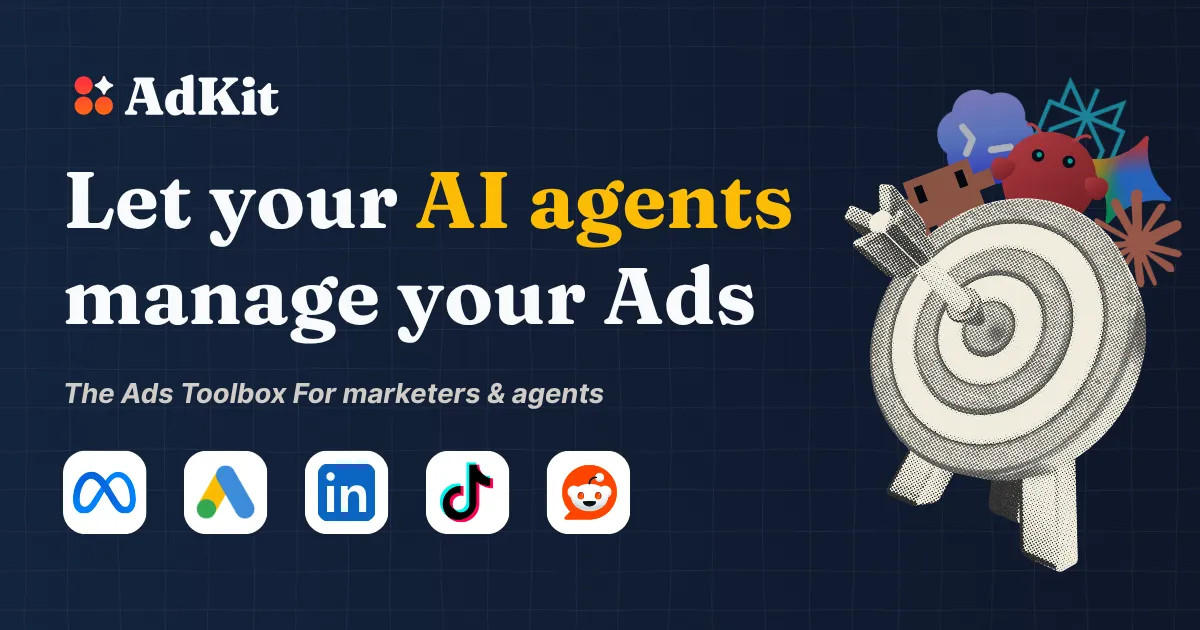
Research competitors, create ads, launch campaigns, and track performance yourself or through your AI agent.
Reach our audience by sponsoring this spot. Contact us to get started.
Get a dedicated SEO review articlefor your product or service and start ranking for “your brand + review” in search results.
Get Your Review Article
Enterprise-grade patch management, vulnerability detection, compliance tracking, and policy control across Windows, macOS, and Linux.
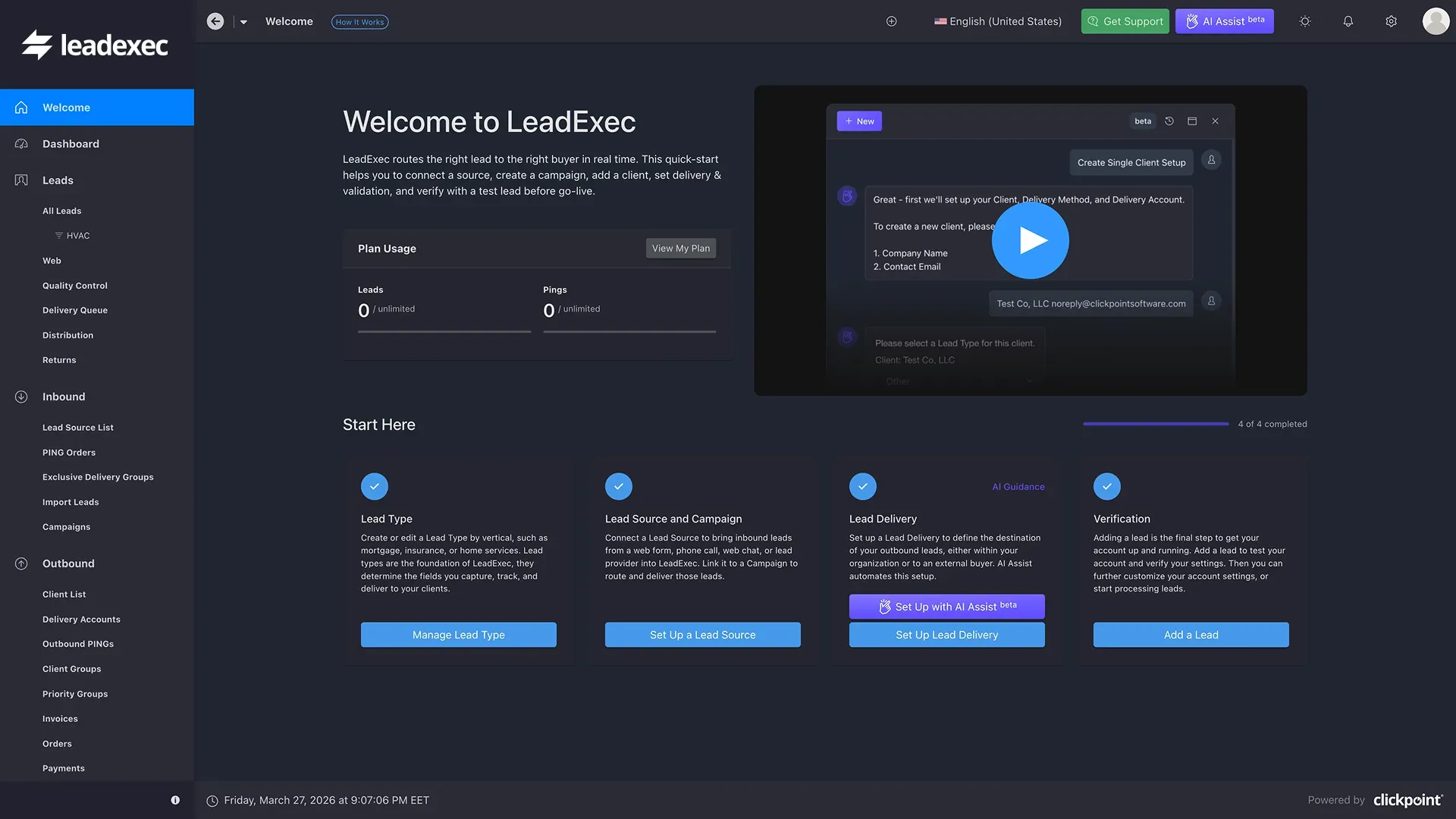
LeadExec is lead distribution software for lead sellers, buyers, agencies, and call centers. Automate lead routing, ping/post, buyer management, compliance, and real-time lead delivery from a single platform.
AdKit is a unified advertising toolbox that consolidates competitor research, ad creation, campaign launch, and performance tracking into a single platform, with a unique twist: it connects directly to AI agents like Claude, ChatGPT, and Perplexity through an MCP (Model Context Protocol) server. The product solves a specific and painful problem for marketers and founders: the hours wasted navigating clunky, fragmented ad platform interfaces across Meta, Google, TikTok, LinkedIn, and Reddit. Instead of toggling between five different dashboards, users can issue natural language commands to an AI agent that handles research, drafting, and analysis through AdKit’s backend.
The target audience is broad but well-defined: solo founders who lack design teams, marketing agencies juggling dozens of client accounts, growth marketers iterating on creative at scale, and developers who want to script ad management tasks. The competitive landscape includes native ad managers (Meta Ads Manager, Google Ads), standalone competitor research tools like Adspirer, and AI-powered ad generators. AdKit differentiates by combining all these capabilities with deep AI agent integration, positioning itself as “Ahrefs but for advertising.” The thesis is clear: AdKit reduces the friction of ad management by an order of magnitude, but its value depends heavily on whether users are ready to trust AI agents with their ad accounts.
The user journey begins with a 7-day free trial. After signing up, users connect their ad accounts — Meta, Google, TikTok, or Reddit — through AdKit’s approved tech partner integrations. The setup takes approximately three clicks: connect the ad account, copy one line of configuration into the AI agent (e.g., Claude Desktop, ChatGPT, or Cursor), and start issuing commands. The onboarding is intentionally minimal; AdKit assumes users are familiar with AI agents and ad platforms.
Day-to-day workflow varies by use case, but a typical session looks like this: A user opens their AI agent and types, “Research our top competitor’s ads from the last 30 days. Find the three with the highest engagement rates. Clone the best hook and generate three static ad variations using our brand kit. Draft a campaign targeting the same audience segments with a $500 daily budget.” The agent communicates with AdKit’s MCP server, pulls data from the ad library, generates creatives, and drafts the campaign in the AdKit dashboard. The user receives a notification, opens the dashboard, reviews the draft — which includes ad sets, targeting, creatives, and budget — and clicks “approve” or “reject.” Approved drafts are pushed to the native ad manager as drafts, not live campaigns, giving users a final checkpoint.
For users who prefer direct interaction, the web dashboard allows manual browsing of the ad library, managing swipe files, viewing competitor activity, and reviewing agent drafts. The learning curve is minimal for those already using AI agents; the dashboard is clean and intuitive for direct use. The entire system is designed to reduce time spent in native ad managers, which AdKit’s documentation describes as “clunky” and “time-consuming.”
Based on the website and product description, AdKit presents a modern, clean interface with a professional aesthetic. The dashboard appears to prioritize clarity over complexity, with clear navigation between the ad library, competitor tracking, swipe files, and campaign drafts. The design language is consistent with contemporary SaaS products — muted colors, ample whitespace, and clear typography — which suggests a focus on usability.
The navigation seems intuitive: a sidebar or top bar likely provides access to the main modules (Ad Library, Competitors, Campaigns, Swipe File, Settings). The ad library search and filter functionality appears robust, with options to filter by platform, vertical, ad format, and date range. The competitor tracking dashboard likely shows a timeline of new ads with metadata like days live and engagement metrics.
The learning curve appears moderate. Users familiar with AI agents will find the MCP integration straightforward, but those new to tools like Claude or ChatGPT may need to learn the basics of natural language prompting. The web dashboard is likely intuitive for direct use, but the CLI tools require technical comfort. A notable design decision is the draft-first approval system, which adds a safety buffer but also introduces an extra step in the workflow. This is a smart trade-off: it prevents costly mistakes while maintaining the speed advantage of AI-driven campaign creation.
Mobile responsiveness is not explicitly visible from the website, but given the product’s focus on desktop-based ad management and AI agent interaction, mobile optimization is likely secondary. The overall impression is of a well-designed tool that prioritizes function over flash, with room for improvement in areas like video ad support and more advanced analytics.
AdKit offers two pricing tiers visible on the website. The Single Project plan costs $29 per month when billed yearly (regularly $49 per month), covering one brand with full access to the ad library, competitor tracking, AI generator and cloner, swipe file, and MCP access. The Multiple Projects plan costs $49 per month when billed yearly (regularly $97 per month), adding unlimited projects, creative analytics (listed as coming soon), and 25 ad analyses per day.
Both tiers include a 7-day free trial with no credit card required, allowing full evaluation. There is no free plan, which is a notable omission for budget-conscious users or those who want to test before committing. However, the trial is generous enough to evaluate the core features.
Compared to alternatives, AdKit’s pricing is competitive. Adspirer, a standalone competitor research tool, charges $49 per month for similar ad library access but lacks campaign management and AI agent integration. Native ad managers are free but require significant time investment. For users who value time savings, AdKit’s pricing is reasonable — the Single Project plan pays for itself if it saves even a few hours per month. The yearly discount of 30%+ makes it attractive for regular users. The upgrade path from Single to Multiple Projects is clear and logical, scaling with the number of brands or clients managed.
AdKit is best suited for three user segments. First, solo founders and early-stage startups who need to run ads but lack design teams or media buying expertise. They can use AI agents to research, create, and launch campaigns without hiring specialists, dramatically reducing time-to-market for ad testing. Second, marketing agencies managing multiple client accounts — the competitor tracking, campaign drafting, and approval workflow can save hours per client per week, and the CLI tools enable automation at scale. Third, growth marketers and brand managers who need systematic competitive intelligence and creative iteration without manual overhead.
AdKit is less suitable for two user types. Enterprise teams with strict compliance requirements may be uncomfortable with AI agents accessing ad accounts, even with draft-first safeguards. They might prefer native ad managers with manual controls and audit trails. Users who rely heavily on video advertising will find the current AI generator limited to static images, making tools like Canva or specialized video ad platforms a better fit. Additionally, users who prefer full manual control and distrust AI-driven recommendations may find the agent-centric workflow unnecessary.
AdKit’s biggest strengths are its unified platform approach, the innovative MCP server integration with AI agents, and the time savings it delivers for competitor research and campaign drafting. The draft-first approval system is a smart safety feature that addresses the primary concern with AI-driven ad management. The ad library with 300,000+ ads is genuinely useful for competitive analysis, and the CLI tools open up automation possibilities for technical users.
The most notable limitations are the lack of video ad generation, the absence of a free plan, and the reliance on users being comfortable with AI agents. The creative analytics module is still listed as “coming soon,” which suggests the product is still maturing. For users who prefer full manual control or have strict compliance requirements, AdKit may feel like an unnecessary abstraction layer.
AdKit is worth trying if you spend more than a few hours per week in ad managers and are open to using AI agents for campaign management. The 7-day free trial provides ample time to evaluate whether the workflow fits your needs. Consider AdKit when you need to reduce the time spent on repetitive ad tasks, scale competitive intelligence across multiple accounts, or enable a lean team to run sophisticated ad campaigns without hiring specialists. For the right user, it delivers significant time savings and a genuinely novel approach to ad management.